Although this blog is mainly about Nokia N8 best free apps, I like to believe that I'm going to help my readers in any possible way. Next, I'm going to list the most common problems encountered in Nokia N8, and how to fix them.
1. Slow web browser
the problem:
Many users reported poor Internet experience when using the default Nokia N8 browser. The browser is too laggy, it randomly crashes, it's not that fast on 3G.
the fix:
You can install an alternative browser like Opera. It's fast and easy to use, it has great multi-tab support.
Showing posts with label Nokia N8. Show all posts
Showing posts with label Nokia N8. Show all posts
Hello friends, I'm sorry for not writing for some time. Last month was a mess, but now I'm back with a new gift for you: the best free apps for Nokia N8. Instead of giving you the download links, I thought it would be more interesting to share this video I found on Youtube. Here is the list with the best free apps you can download for free for your Nokia N8. If you have other cool apps suggestions, just write them here.
In order to download these games all you need to do is check the official marketplace for Nokia. I will not insert the link here, but you know how to access it.
Nokia N8 is one of the most interesting smartphone released by Nokia.
It moves quickly, easily, it has good screen, graphics accelerator and
one of the best camera phone available. You must understand that N8 runs
on Symbian, and Symbian is not what it once was. Although Nokia's downfall made it difficult for the company to regain its fanbase, I still belive N8 is one of their greatest achievements.
Nokia N8
Design is not its most important benefit, but neither an obstacle. The phone looks pretty good, normal for a touchscreen terminal, and finish are above average and this is normal for Nokia. I love the aluminium version of it. The terminal is thick, double the iPhone 4 and much thicker than the Galaxy S. Probably included technical features like graphics accelerator are to blame for this problem. Buttons on the side are ok, volume buttons, camera and card access jacks, memory card, HDMI. Charger jack is standard Nokia's slim, does not comply with European directive with mini USB. Overall, Nokia N8 looks good, can be put on the table at any restaurant and not be ashamed about it.
Nokia N8 hardware
I think Nokia N8 is the high-end phone of the moment because it actually combines several technologies that are present in some competing mobile phones, but so far none have them all together. AMOLED screen looks great and it provides really good images even at 360 x 640 pixels resolution. While not retain or Super AMOLED display, the difference is minor. My opinion. 3.5-inch diagonal already seems a little super-smartphone, yes, even the iPhone 4 still seems small. Already it is time for 4 inches, going from 3.7 to 3.8, seems ok. I speak from the perspective of online experience, video and video games.
The screen has proximity sensor, it will close when you are in conversation to extend battery life. HSPA technology has 10Mbps download, 2Mbps upload depends on the network, some will go very well. The phone has WiFi, Bluetooth, HDMI. Although it is a super-multimedia phone, the Nokia N8 does not features DLNA - wireless technology that allows a clip (or camcorders) to run on a compatible TV without wires.
ARM Cortex Processor 11-680 MHz is probably the only weakness of the phone. I had positive experiences in applications and games - but you can feel the scroll is much slower that iPhone's - not even as fast as Windows Phone 7. It's frustrating sometimes. It's the only phone with graphic accelerator, Broadcom GPU, made in 2007. It should be noted and Bluetooth 3.0 and 16GB internal memory card.
Conclusion
Nokia N8 is an interesting gadget and I like it more than other Nokia models. If you want to get this phone know this: if you're not into photography it's not worth it. Buy an iPhone or a Galaxy S2. Finally, it is a decision of taste, passion for multimedia and financial resources. If you do not want to go on Android or IOS it seems too dark (as I consider myself), then N8 Symbian is a logical choice. Symbian Belle is pretty clean, but it runs slower then the other two alternatives.
Nokia N8
Design is not its most important benefit, but neither an obstacle. The phone looks pretty good, normal for a touchscreen terminal, and finish are above average and this is normal for Nokia. I love the aluminium version of it. The terminal is thick, double the iPhone 4 and much thicker than the Galaxy S. Probably included technical features like graphics accelerator are to blame for this problem. Buttons on the side are ok, volume buttons, camera and card access jacks, memory card, HDMI. Charger jack is standard Nokia's slim, does not comply with European directive with mini USB. Overall, Nokia N8 looks good, can be put on the table at any restaurant and not be ashamed about it.
Nokia N8 hardware
I think Nokia N8 is the high-end phone of the moment because it actually combines several technologies that are present in some competing mobile phones, but so far none have them all together. AMOLED screen looks great and it provides really good images even at 360 x 640 pixels resolution. While not retain or Super AMOLED display, the difference is minor. My opinion. 3.5-inch diagonal already seems a little super-smartphone, yes, even the iPhone 4 still seems small. Already it is time for 4 inches, going from 3.7 to 3.8, seems ok. I speak from the perspective of online experience, video and video games.
The screen has proximity sensor, it will close when you are in conversation to extend battery life. HSPA technology has 10Mbps download, 2Mbps upload depends on the network, some will go very well. The phone has WiFi, Bluetooth, HDMI. Although it is a super-multimedia phone, the Nokia N8 does not features DLNA - wireless technology that allows a clip (or camcorders) to run on a compatible TV without wires.
ARM Cortex Processor 11-680 MHz is probably the only weakness of the phone. I had positive experiences in applications and games - but you can feel the scroll is much slower that iPhone's - not even as fast as Windows Phone 7. It's frustrating sometimes. It's the only phone with graphic accelerator, Broadcom GPU, made in 2007. It should be noted and Bluetooth 3.0 and 16GB internal memory card.
Conclusion
Nokia N8 is an interesting gadget and I like it more than other Nokia models. If you want to get this phone know this: if you're not into photography it's not worth it. Buy an iPhone or a Galaxy S2. Finally, it is a decision of taste, passion for multimedia and financial resources. If you do not want to go on Android or IOS it seems too dark (as I consider myself), then N8 Symbian is a logical choice. Symbian Belle is pretty clean, but it runs slower then the other two alternatives.
I love my Nokia N8, and when I first got it I was really frustrated because I could not share my Internet connection with my laptop. iPhone has this option, but I could not find it in my N8. That's when I decided to look for a solution and I found the best N8 app in this case: JoikuSpot.
This is a nice free app that allows you to share your internet connection with other devices. The free version does not have many features, but if you decide to get the full version of it, you will get cool features like WPA protection and user management. I've used it and it's amazing. Just search "JokuSpot" in Google.
I was really disappointed when I installed Skype on my Nokia N8. Why? I'm going to start directly with the problem.
Issue:
Nokia N8 does not allow video calling on Skype. Don't get me wrong, the voice calling works perfect, but there is no way you can call someone on Skype.
Fix:
It seems that this is not a problem just for Nokia N8, but for every Symbian phone out there. Skype developers thought that the Symbian platform is not that interesting, so they never made a version of Skype that allows you to make video calling. These being said, you understand our pain. We can't use this function. Of course, there is an alternative: Fring.
Issue:
Nokia N8 does not allow video calling on Skype. Don't get me wrong, the voice calling works perfect, but there is no way you can call someone on Skype.
Fix:
It seems that this is not a problem just for Nokia N8, but for every Symbian phone out there. Skype developers thought that the Symbian platform is not that interesting, so they never made a version of Skype that allows you to make video calling. These being said, you understand our pain. We can't use this function. Of course, there is an alternative: Fring.
There are many reasons you need to open the case of your Nokia N8. Maybe you need to replace the battery, maybe you need to replace the case. Either way, this video shows you how to disassembly & assembly this amazing phone.
If you're looking for a free and intuitive app that allows you to translate text to text or text to speech, Voice Translate is the perfect software for that. It has support for few languages and the speech has authentic accents. It should work on other Nokia devices. You can download this free N8 app from Nokia Store.
Dropbox is a really nice platform that allows you to store files in Cloud-like storage. It's been around before every cloud system there, and I'm using it ever since. Once a file is uploaded to Dropbox, it can be accessed from every devices connected to that Dropbox account. Of course, for that you need a client. In a previous post, I wrote about Dropbox for Nokia N8. Although there is no official app for Dropbox, there are alternatives. cuteBox is a nice Dropbox mobile client for your smartphone, and you can find it in Ovi Store. Here is a video about it:
It's June and I'm still on my N8. I love this phone so much that I can't express it in words. Here are some cool apps that I've downloaded for my N8 in 2012. SO... I present you Top 2012 Free Apps for Nokia N8:
Yahoo Messenger
Solar Charger
SBS Blue ThemeThis is a damn cool theme, especially if you use SBS Shell. It contains graphic for design and backgrounds.
Led-It
This free app allows you to creat funny and animated screens on your Nokia N8. You can use a template or creat your own. You can download it for free on Ovi Store.
Yahoo Messenger
It was about time. Before this free app, I've used Nimbuzz in order to connect to my yahoo messenger account, but now we can all enjoy this stand-alone app that allows you to chat with your yahoo contacts.
Solar Charger
It's time to amaze your friends with this app. Just download and install this app from Ovi Store and charge your phone using solar power. Of course this is not for real, but it's damn cool to prank your friends with it. This app is amazing if you want to start a conversation.
SBS Blue ThemeThis is a damn cool theme, especially if you use SBS Shell. It contains graphic for design and backgrounds.
Led-It
This free app allows you to creat funny and animated screens on your Nokia N8. You can use a template or creat your own. You can download it for free on Ovi Store.

After long, long time... Nokia finally decided to release the long awaited update for Nokia N8: Symbian Belle.
If you've read this blog before you know that I'm a skeptic. Particularly about online shops marketing pro-health and welfare merchandises. I have explored various websites and I've gathered information on Cellphone EMFs and their negative results of cell phone radiation. That was in part the reason I had headaches and I was fatigue at that time. So I have invested a small amount of money in the EMF Anti-Radiation Protector strip. You can imagine how I felt when I discovered that I no more experience head/eye aches and fatigue. Everything was gone!!!

I'm astonied and I want to share with you that this little strip made a huge difference in my life. I advice you to invest in this anti-radiation-shield rather than whatever you were about to buy for $10.
BTW: This radiation shield does not improve the battery life of your N8. But that's nothing equated to no longer having headaches and tiredness.
Click here to see more info on the product
I'm astonied and I want to share with you that this little strip made a huge difference in my life. I advice you to invest in this anti-radiation-shield rather than whatever you were about to buy for $10.
BTW: This radiation shield does not improve the battery life of your N8. But that's nothing equated to no longer having headaches and tiredness.
Click here to see more info on the product

If you've updated your OS to Anna and you're still not pleased with your N8's interface you can install Grid Touch free from Ovi Store. It allows you to organize, find and launch your favorite apps really fast. It moves a lot better than N8's native inteface. Supports zoom in/out function.
Although Symbian Anna was just released, a new video leaked with the next N8 operating system: Symbian Belle
Homescreen, Widgets and Notifications Bar
Photo Gallery
general features:
Read all the features of the new OS on Nokia website
Homescreen, Widgets and Notifications Bar
Photo Gallery
general features:
- More homescreens
- Improved status bar
- Modernised navigation
- New apps
- Informative lock screen
- Visual multitasking
Read all the features of the new OS on Nokia website
This is the official demonstration of Symbian Anna running on the Nokia N8 at the Nokia Connection 2011 in Singapore. I have talked about Anna a little in the past. Although it's just released, people started roumors about the next Symbian OS: Belle
Symbian Anna main features:
- Virtual portrait QWERTY for fast, one handed typing
- Split screen view while typing; so you can see message threads, webpages, contacts or email
- An easier to use and faster browser, delivering quicker page loads and improved navigation
- Refreshed Nokia Maps including simpler search, new public transportation routes and the ability to check-in to Facebook, Twitter, Foursquare or local social networks
- A feature to share your location via email and SMS (even to non-Nokia phones)

Here are some tips you should know about Nokia N8 camera:
Start N8 Camera Fast
You can start fast the camera application by pushing the shutter button.
Switch to 16:9 image capture
go to Options > Settings > Image Quality > Print 9M (large)
Disable N8 camera capture sound
Start camera, go to Options > Settings > Capture tone > Off
Set your own scene mode by default:
Select the wrench key from main camera app screen.
Select Scene Mode (upper left of the screen)
Select M (User Defined) > Edit
From there make your own settings, but don't forget to change "Set as default scene mode" to "Yes".
Other Nokia N8 camera tips:
Red Eye Reduction does not work that well, so you should disable it and fix the eyes in photoshop.
Sometimes the pictures needs more contrast. Set it from your manual scene mode.
CameraPro application is better than N8's default camera application
With this app it's really simple to download Youtube Videos on your Nokia N8.
You have the option to download videos in more than one resolution - MP4(360p), MP4(720p) and MP4(1080p) depending on the quality of the original video.
N8 Youtube Video Downloader is free but data connection may be required for any additional component to be installed.
You have the option to download videos in more than one resolution - MP4(360p), MP4(720p) and MP4(1080p) depending on the quality of the original video.
N8 Youtube Video Downloader is free but data connection may be required for any additional component to be installed.
In case you need to hard reset Nokia N8 phone due to various reasons, here are the steps you need to follow:
1) Select call and type in *#7730#
2) Press the power key and select Offile Profile
3) Call again to *#7730#
4) Confirm Hard Reset
This will remove all the information you have stored on your memory (internal memory and 16 GB memory). The N8 Soft Reset operation can take up to few minutes depending the amount of information you have installed on your cards.
Here is an alternative way to master reset the phone
Joyeye Lite Touch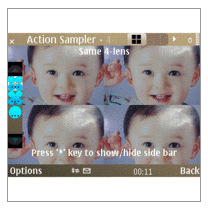
This free photo app can be upgraded from Joyeye FX. If it's not working that way you'll have to unninstall everything and start over. Visit download page to see more about this N8 application.
Download it from Ovi Store
ShutterPro Preview Edition

This free app for N8 is an extended photo app that allows you to experience full power of Nokia N8 camera. With SutterPro you can take amazing pictures and you can add special effects to them like tilt-shift or color filters. The software allows facebook upload!
Download it from Ovi Store
Nokia Panorama
I just love this N8 free photo software. As you can see, with Nokia Panorama you can take high-quality smooth landscape panormic images with your phone. The software combines multiple photos in order to create a wide panoramic picture.
Download it from Ovi Store
This is a Apple iPhone 4 vs Nokia N8: Side-by-side HD video comparison. I think N8 is way better than apple when it comes to its camera
A short video tutorial on how to Disassembly your Nokia N8 phone. As you can see, it's not that hard...
Popular Posts
-
 I wasn't pleased to hear that Skype does not have video call support for Nokia N8. It messed up the day because I was really hoping to h...
 -
If you are not pleased with the original Nokia N8 home screen, there are many apps that will change it for you. I love Voyager Home Screen b...
-
The software used to watch free TV on Nokia N8 it's called SPB TV. It allows quick and easy access to 150+ live channels. You can prev...
-
SymTorrent is a cool BitTorrent client for Nokia N8. You can download multiple torrents with this software and you can pause or resume th...
-
It seems that the long awaited Software update OS for N8 is here. And it's ever more than that. It's a new OS called ANNA. Anna OS w...
-
With this app it's really simple to download Youtube Videos on your Nokia N8. You have the option to download videos in more than on...
-
 After long, long time... Nokia finally decided to release the long awaited update for Nokia N8: Symbian Belle.
 -
 Joyeye Lite Touch This free photo app can be upgraded from Joyeye FX. If it's not working that way you'll have to unninstall everyth...
 -
Although Symbian Anna was just released, a new video leaked with the next N8 operating system: Symbian Belle Homescreen, Widgets and Notific...
-
 Nokia N8 is an amazing phone, but its biggest downside is the OS. Symbian is so poor when it comes to available apps that it's almos...


